
How it works
Room by room, from handover to fixed.
No spreadsheets and no lost email threads. One clear record that you and your developer both work from.
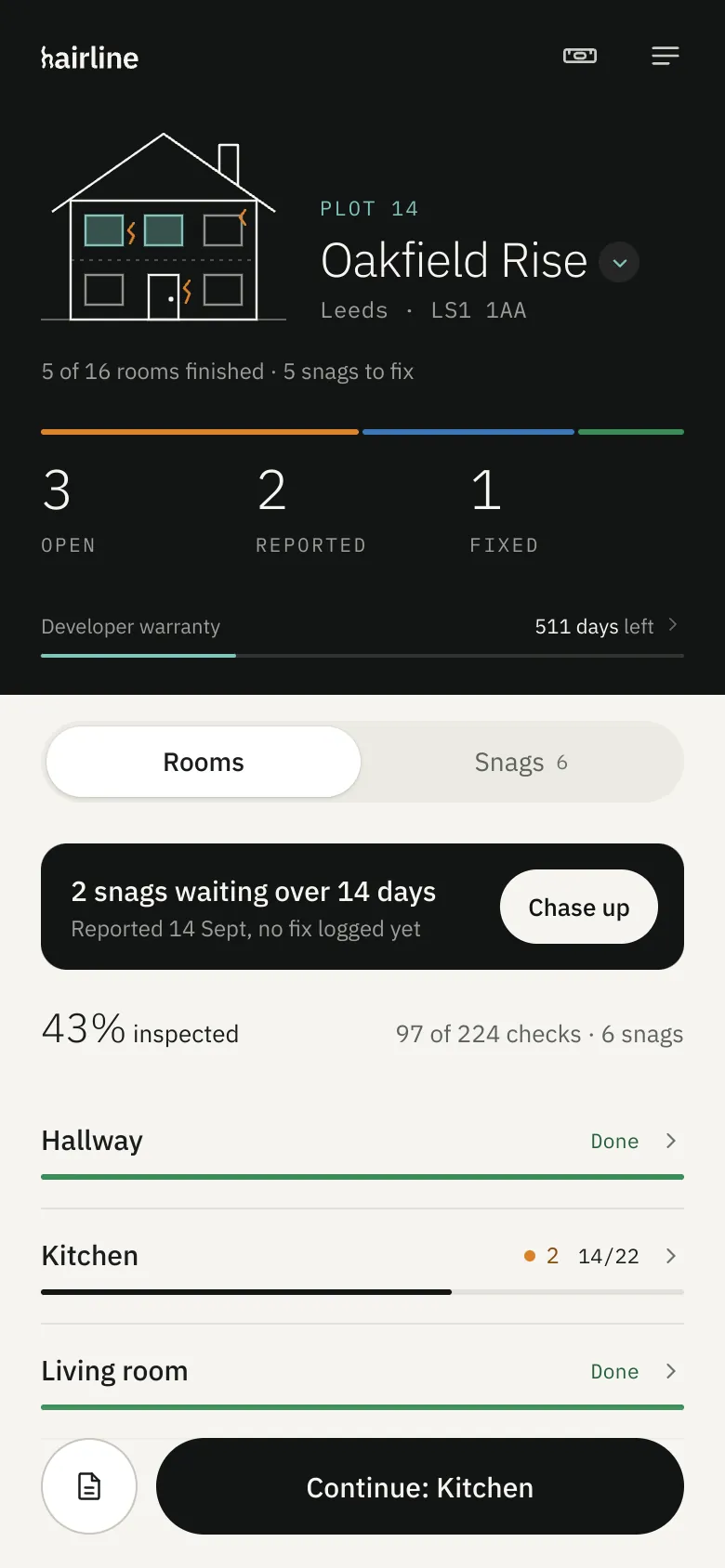
Check each room
Every room gets its own checklist, from worktop joints to the extractor venting outside. Tick what’s fine and snag what isn’t.
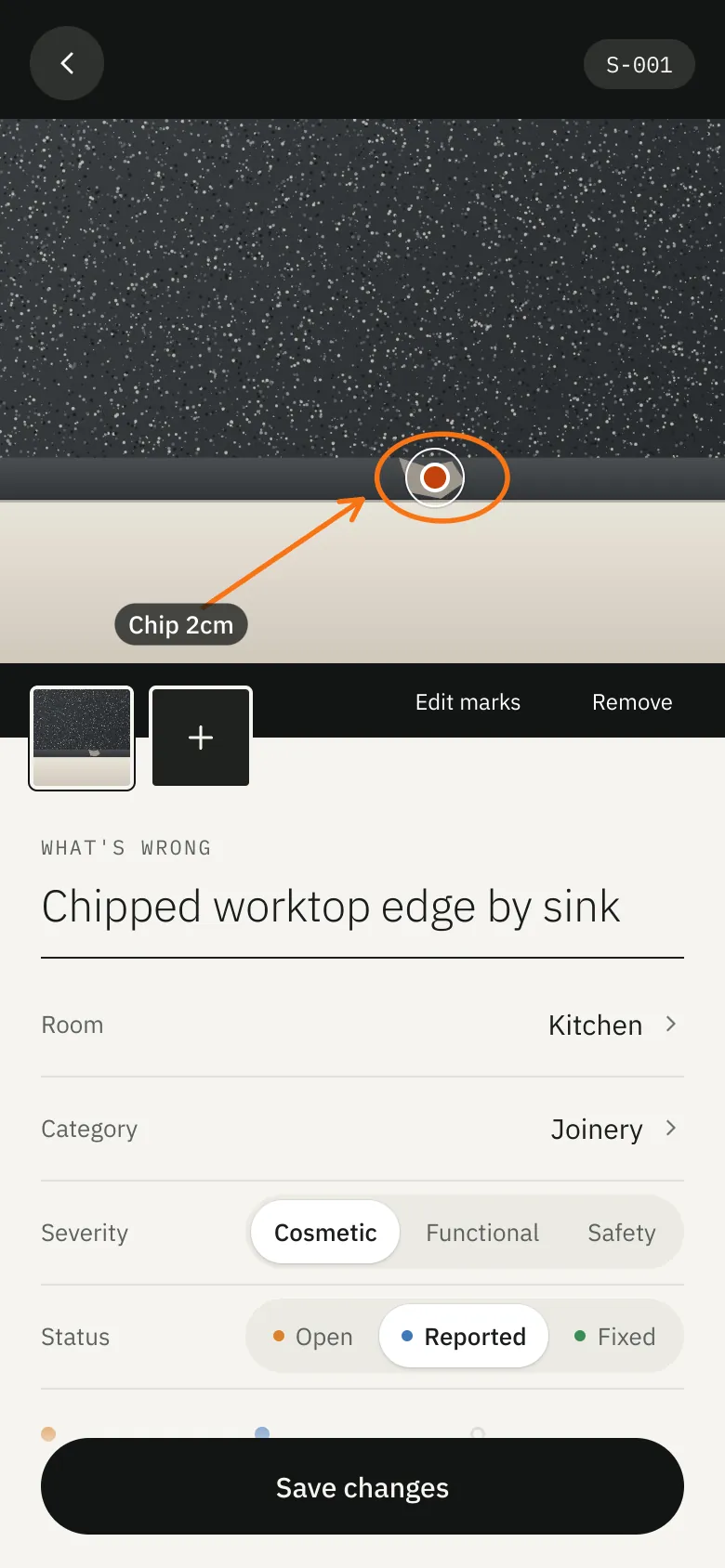
Pin the problem
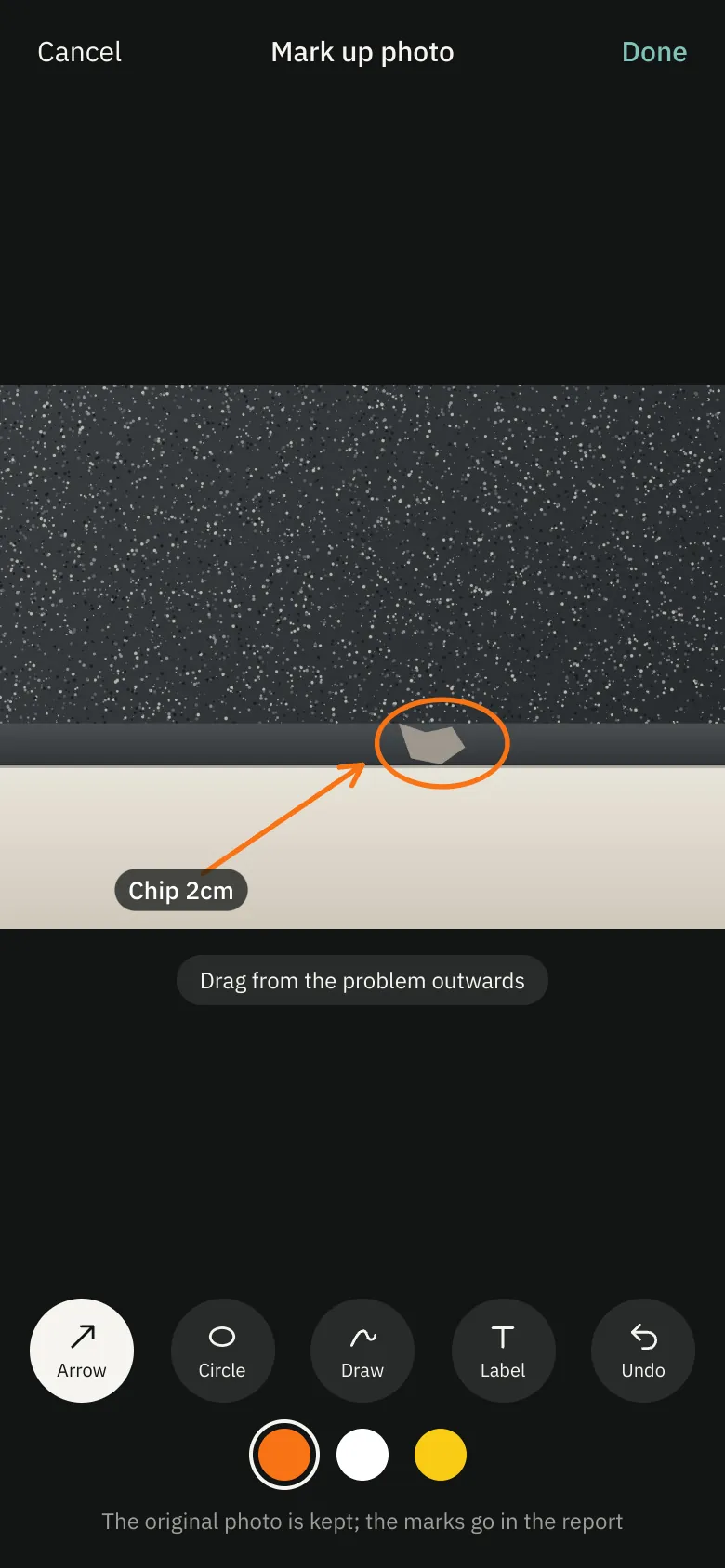
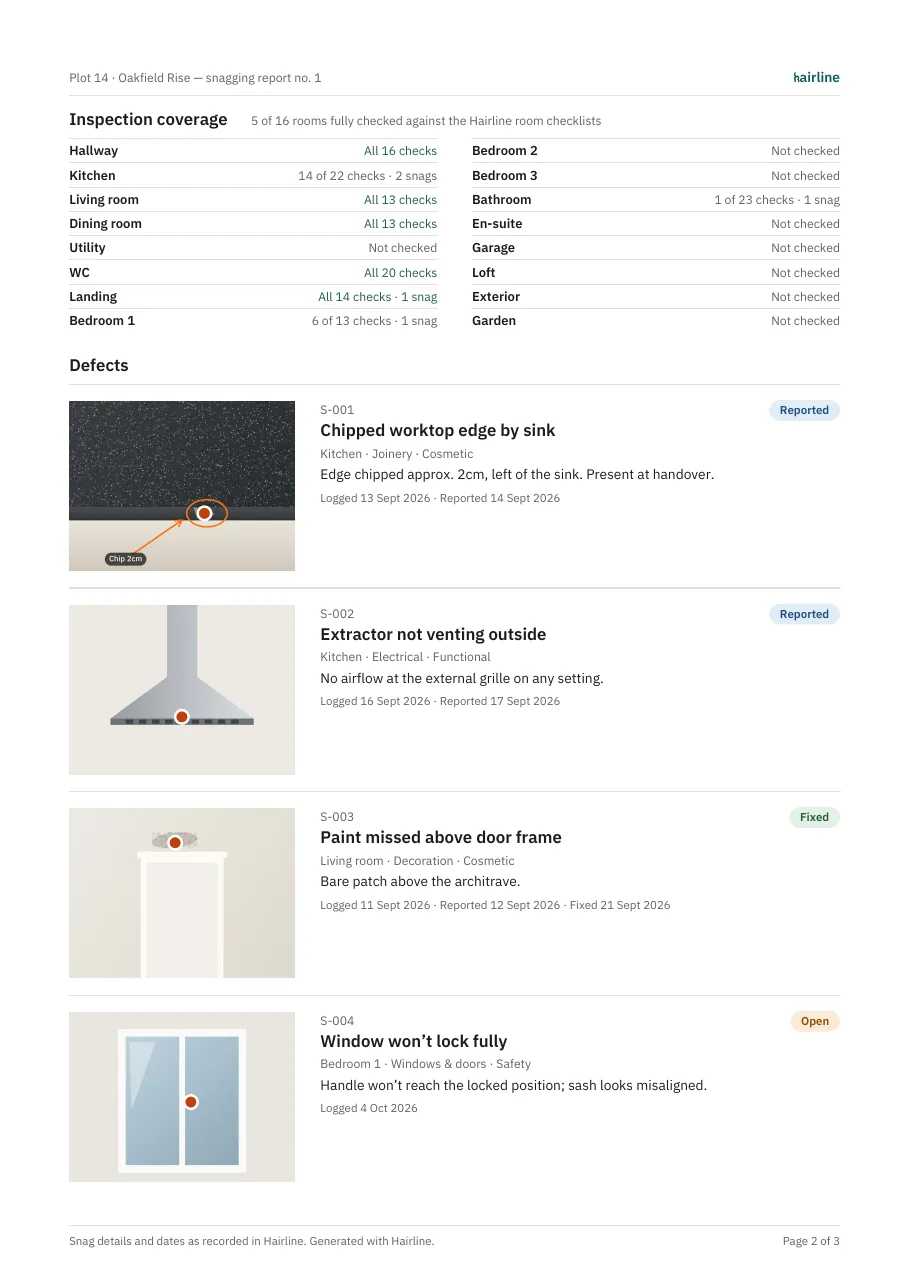
Photograph the defect, tap the exact spot, then ring it or add an arrow. Speak the details instead of typing them.
Report and chase
Send a professional PDF, watch how long the developer takes, and chase politely or firmly when they go quiet.
9 of 16 rooms finished · 2 snags to fix
- HallwayDone
- Kitchen214/22
- Living roomDone
- BathroomNot started
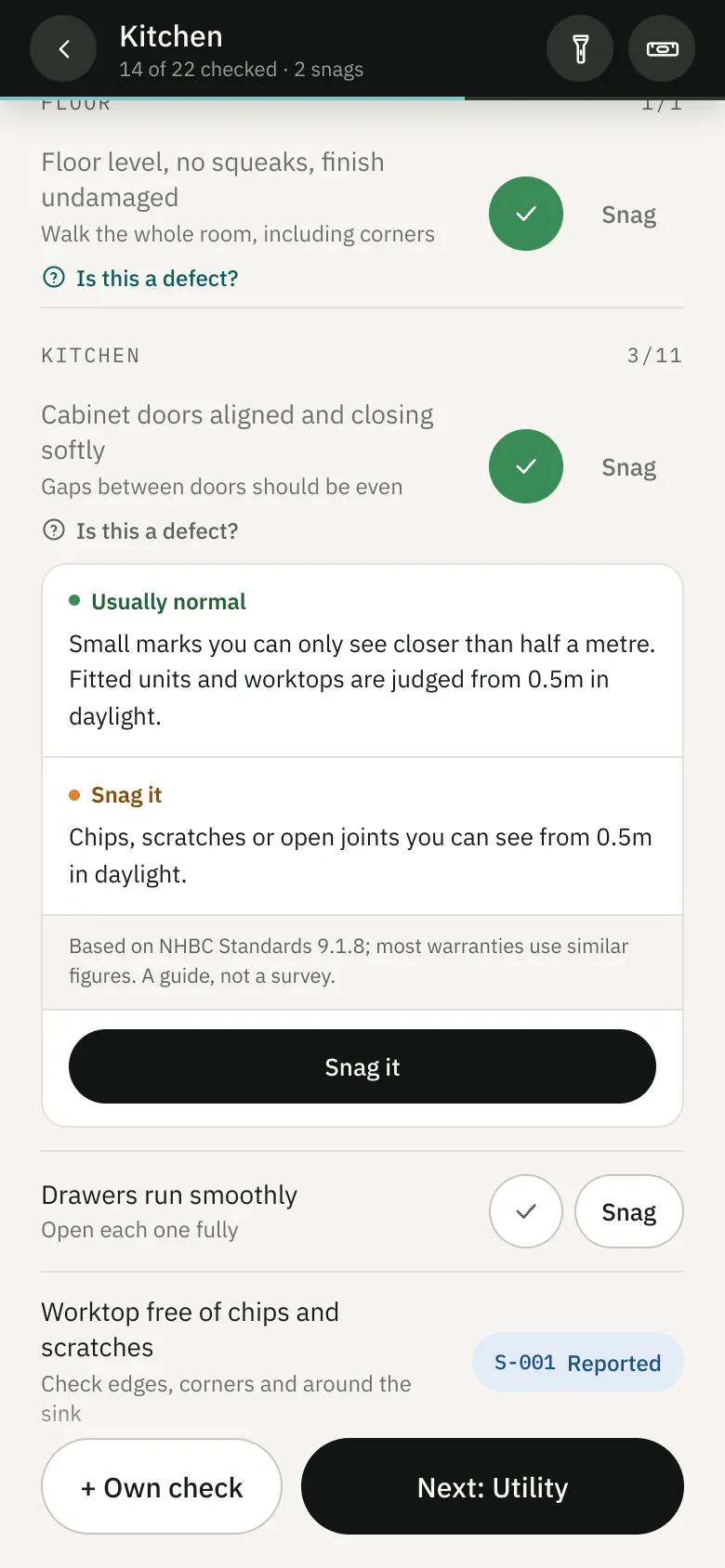
Is this a defect?
Know what counts before you argue about it.
Some cracks are normal in a new home and some aren’t. Tap “Is this a defect?” on a check to see what’s usually acceptable and what’s worth snagging.
| Cracks where walls meet ceilings | ≤ 2 mm |
|---|---|
| Gap around an internal door | ≤ 4 mm, even |
| Gap under skirting, bare floor | ≤ 5 mm |
| Floor out of level | 3 mm / m |
| Lip between neighbouring tiles | ≤ 1 mm |
| Paint and plaster, judged from | 2 m, daylight |
Figures from NHBC Standards chapter 9.1, “A consistent approach to finishes”. Most new-home warranties use similar figures. A guide, not a survey.
Capture
Point at the problem, not around it.
- PinTap the photo where it’s wrong. The pin goes into the report with the photo.
- Mark upArrows, circles, freehand and labels in three colours. The original photo is kept untouched.
- SpeakDictate the details while you hold the tape measure. It works offline on most phones.
- CompareAdd an after photo when it’s fixed, then slide between before and after.
The report
Evidence your developer can’t brush off.
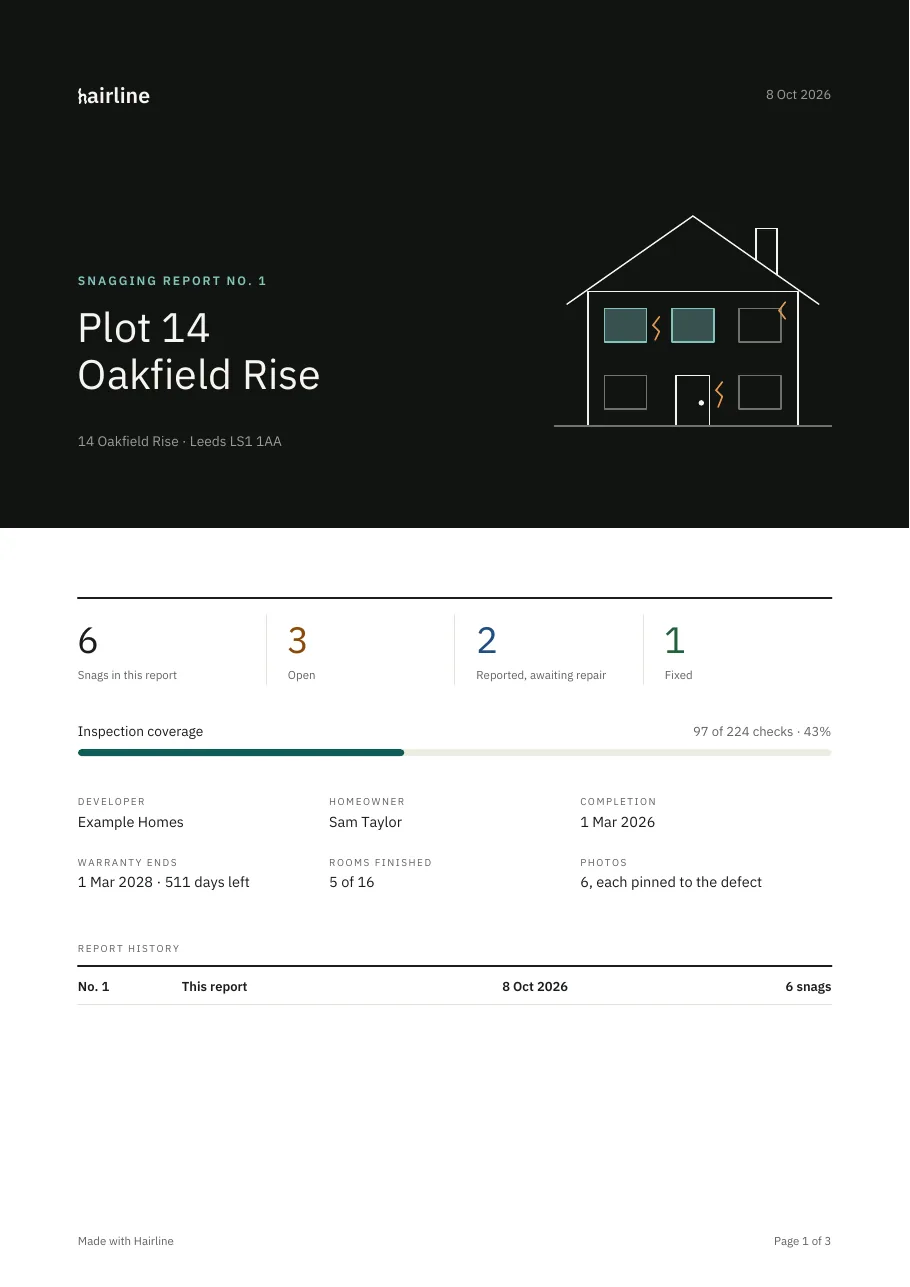
- CoverA proper cover page with the home, the developer, warranty dates and how much of the house you’ve checked.
- PhotosEvery defect with its photo, pin and marks, when it was logged and when you reported it.
- HistoryNumbered reports, each one kept, so you can show what you sent and when.
- PortalsA spreadsheet version too, one row per snag, for developers who want defects in their customer portal.
Chase
Developers have deadlines. Hairline keeps the clock.
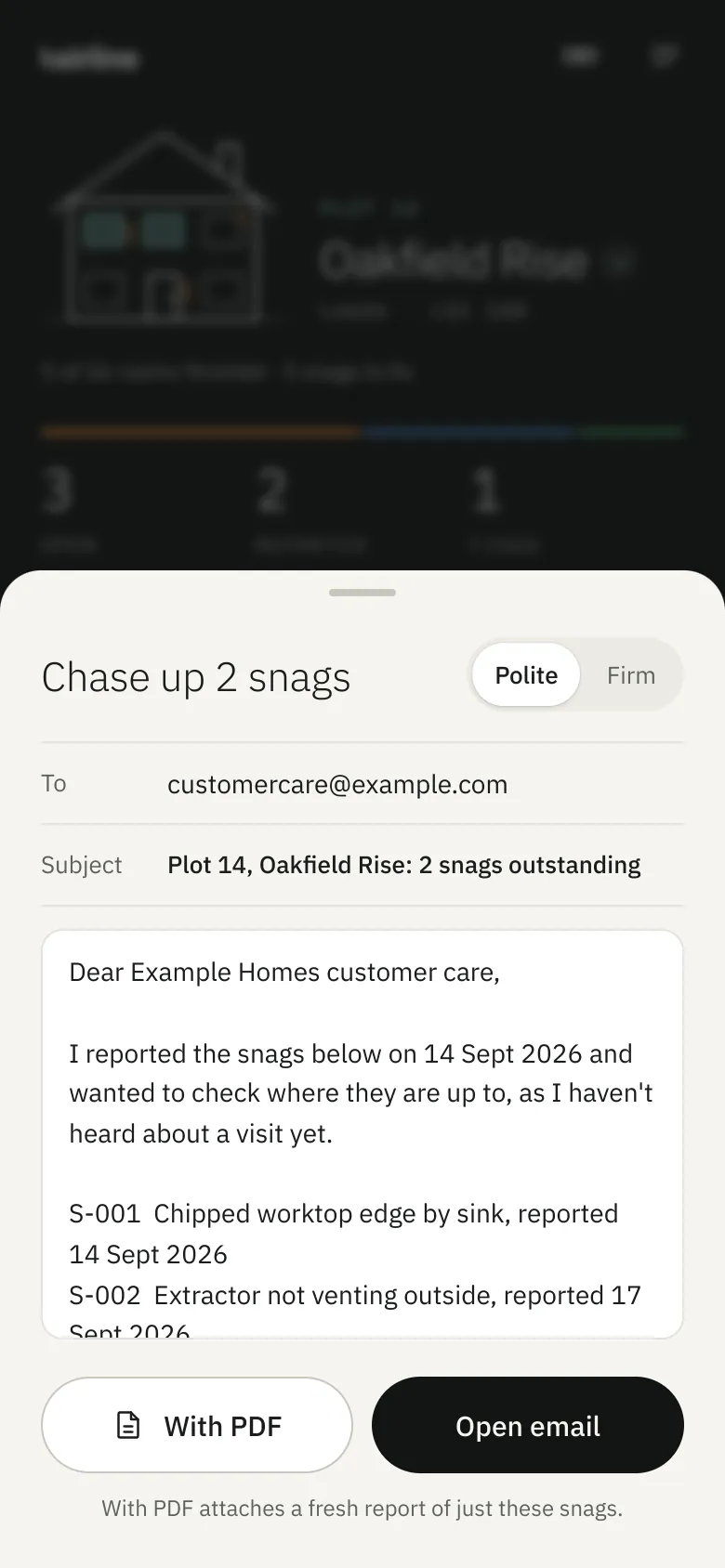
Set how long your developer should take to fix things. Each reported snag shows how long it’s been waiting, and when it runs over, Hairline drafts the chase-up email.
- WaitingA bar on every reported snag that turns amber when it passes 7, 14 or 28 days.
- Chase upA polite or a firm email, addressed to customer care and listing exactly what’s outstanding.
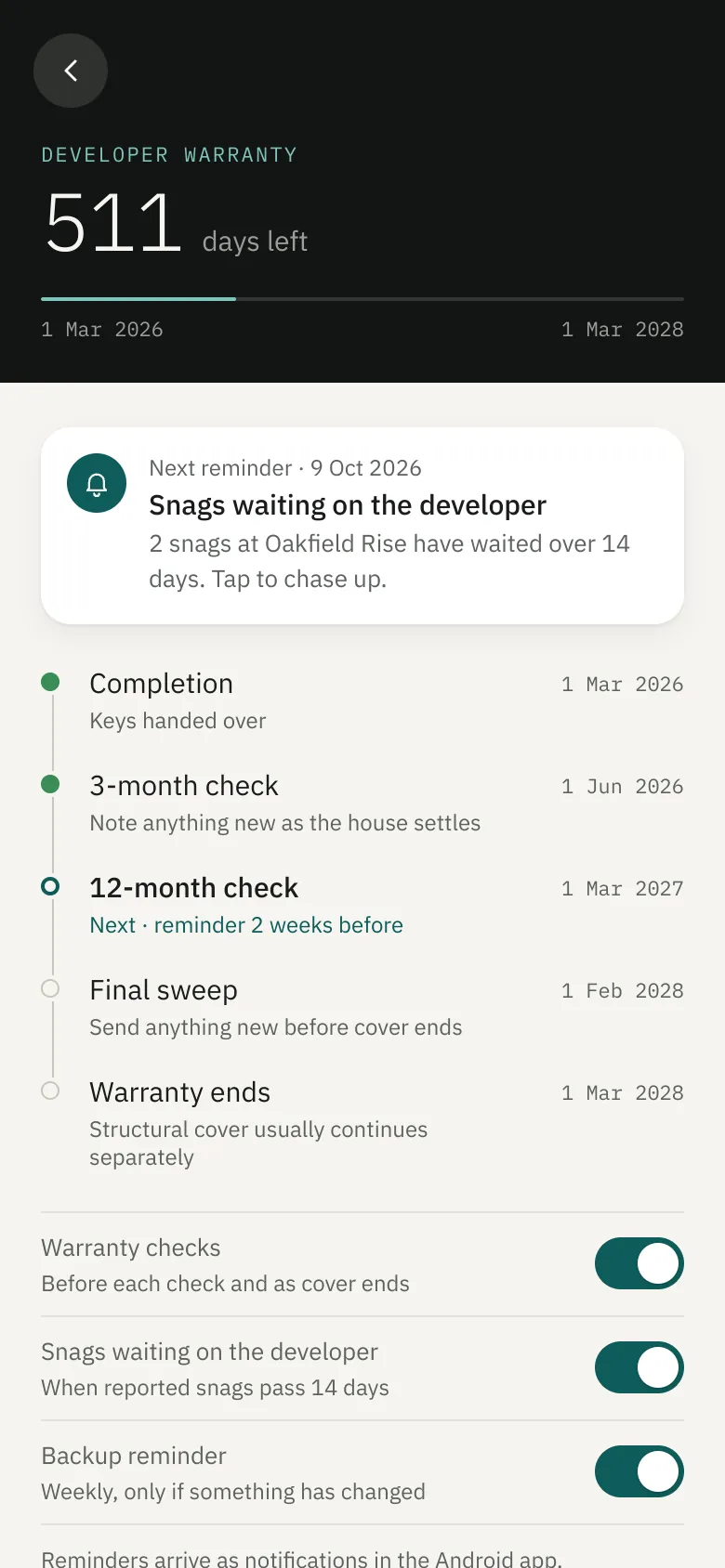
- RemindA notification on your phone before each warranty check and when snags go quiet.
Your two years
Every check, on the right day.
Add your completion date and Hairline plans the rest of the developer warranty, with a reminder before each check.
Handover day
Start before you sign.
A short guide for key-collection day: what to bring, what to photograph and what to ask the site manager. Then start the walk-through straight from it.
- 01Photograph every meter reading
- 02Try every key in every lock
- 03Find the stopcock, fuse box and gas shut-off
- 04Collect the warranty cover note and certificates
On site
Small things that help.
Built for standing in an empty house with one hand free and no signal.
Pricing
Free for one home.
£9.95 to send.
Everything you need to check your home is free. When you’re ready to send your developer a report, or you want to add another home, unlock Hairline with a single payment.
NO CARD NEEDED

NO SUBSCRIPTION
- ReportsSend the PDF, plus a spreadsheet for developer portals
- ChaseChase-ups with the report attached, just the overdue snags
- HistoryEvery report kept, numbered and dated
- HomesAs many as you need
Questions
Before you start.
Do I need to be a builder to use it?
Not at all. Hairline is made for homeowners. Each room has a checklist that tells you what to look at and how, and the defect guide shows what’s normal and what isn’t.
Can I try it before paying?
Yes. Hairline is free for one home: the checklists, defect guide, snags, photos, mark-up, reminders and backups, plus a preview of your report. You only pay, once, £9.95, when you want to send reports or add more homes. There’s no subscription.
Will my developer accept the report?
The report is a clear, dated record with a photo of every defect. Send it however your developer asks for defects to be reported, usually by email. If they use a customer portal, the spreadsheet version makes it quick to copy everything across.
Is the defect guide official?
The figures come from the NHBC Standards, chapter 9.1, which most new-home warranties broadly follow. It’s a guide to help you decide what to raise, not a survey. If something looks structural or keeps getting worse, ask a surveyor.
Where is my data kept?
On your phone, and nowhere else. There’s no account and nothing is uploaded. Reports only leave your phone when you send them, and you can save a backup file to Google Drive or anywhere you like.
Does it work without signal?
Yes. New builds often have patchy signal, so everything saves on your phone and works with no signal at all.
Is there an iPhone version?
Not yet. Hairline is on Android phones and tablets through Google Play.
Contact
Get in touch.
A question about Hairline, something not working, or an idea for the app? Send us a message and we’ll reply by email.
Or email hello@orleden.co.uk